A new home for the Coupa Supply Chain documentation
Starting with Supply Chain 42, our documentation will be located on Coupa Compass. The help here will continue to be accessible for the foreseeable future, but will no longer be updated. If you need a Compass user account, contact your company’s Designated Support Contact (DSC).
You can access new and updated Supply Chain documentation in the following location on Compass:
https://compass.coupa.com/en-us/products/supply-chain-design-and-planning
Execute multiple actions
You can execute multiple actions simultaneously.
- Press and hold down the Ctrl key.
- Click on each action to be executed. The selected actions are highlighted in blue.
- Click the icon for executing selected actions below the design surface.
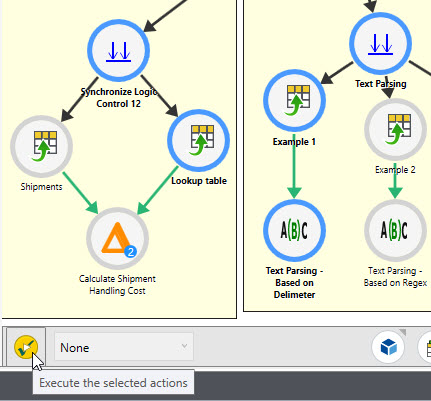
Only the selected actions are highlighted. Downstream actions not highlighted are not executed.
Last modified: Thursday December 19, 2024
